

Download Voicer - Voice Changer – Free MP3 & Multimedia Tool for Android
Overview
Voicer - Voice Changer is a free desktop and mobile application designed for users seeking a simple way to modify their voice during recordings. Available exclusively on Android, it falls within the MP3 & Multimedia category, specifically under MP3 & Audio tools. The app enables real-time voice alteration, allowing users to experiment with different vocal effects while recording audio.
This functionality makes it suitable for both entertainment and practical applications, such as anonymizing voice in phone calls or adding humorous tones to videos. Developed by Lesop Software, the app has been available since 2014 and has accumulated 2,410 downloads to date, with 2 downloads recorded last week. It supports Android 4.0 and later versions and is available in English and Spanish.
The current version is 3, released on August 3, 2015. While the developer did not provide additional system requirements, the app is described as lightweight and efficient, with minimal impact on device performance.
Key Features & Capabilities
- Real-Time Voice Modification – Users can alter their voice during live recording sessions, applying various vocal effects instantly.
- Multi-Format Support – The app is compatible with a wide range of audio formats, allowing seamless integration with other recording tools.
- Simple and Intuitive Interface – Designed for ease of use, the app features a minimal layout that is accessible to users of all technical skill levels.
- Privacy-Focused Voice Anonymization – Ideal for protecting identity during sensitive phone conversations or public recordings.
- Entertainment Use Cases – Enables fun voice effects for videos, social media content, or prank calls.
These capabilities make Voicer - Voice Changer a versatile tool for casual users and content creators who need quick access to voice modulation without complex workflows. The app’s lightweight design ensures it runs smoothly on older Android devices, making it a practical choice for users with limited storage or processing power. Its compatibility with external recording apps allows for flexible integration into existing audio production routines.
User Interface, Workflow & Performance
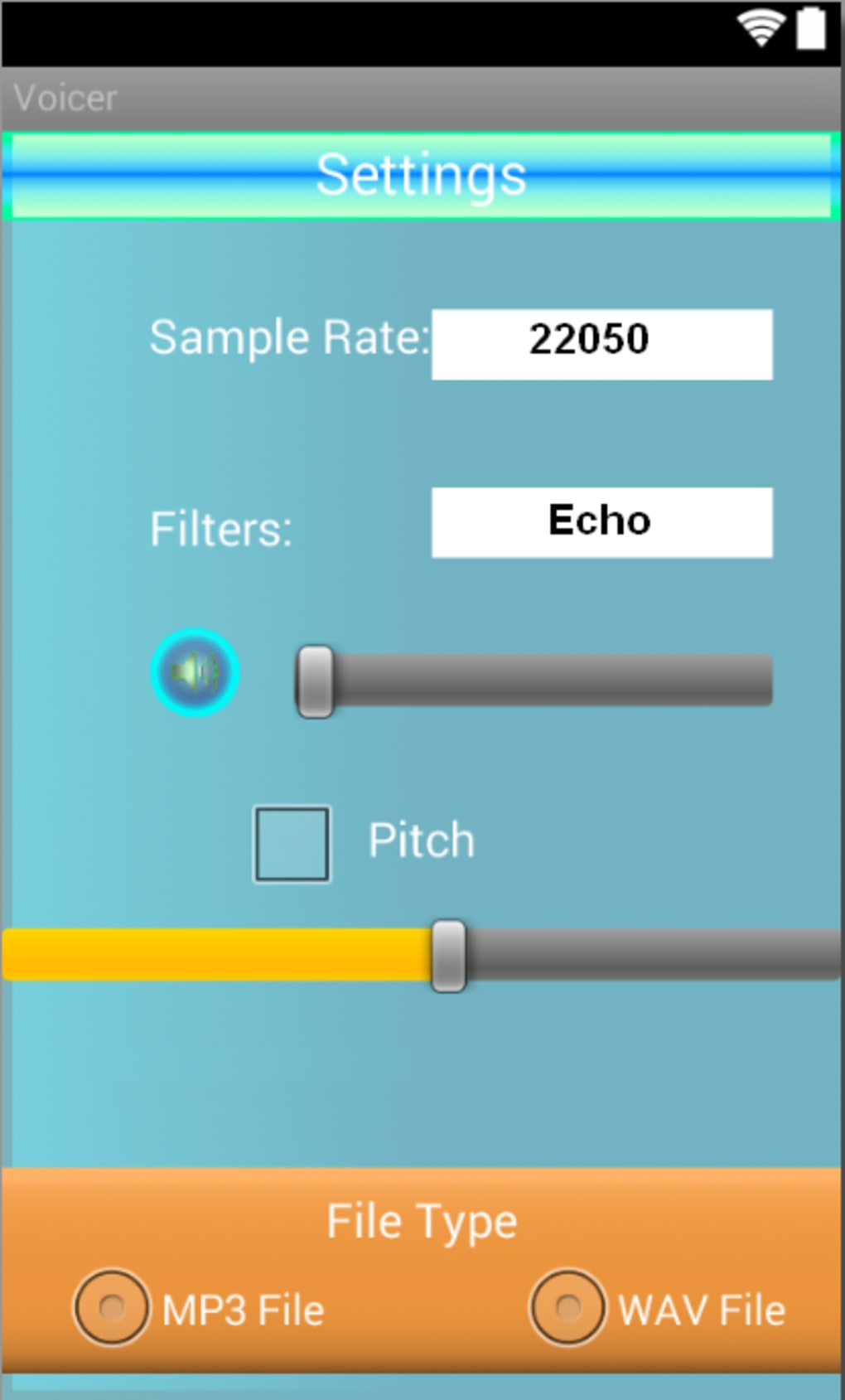
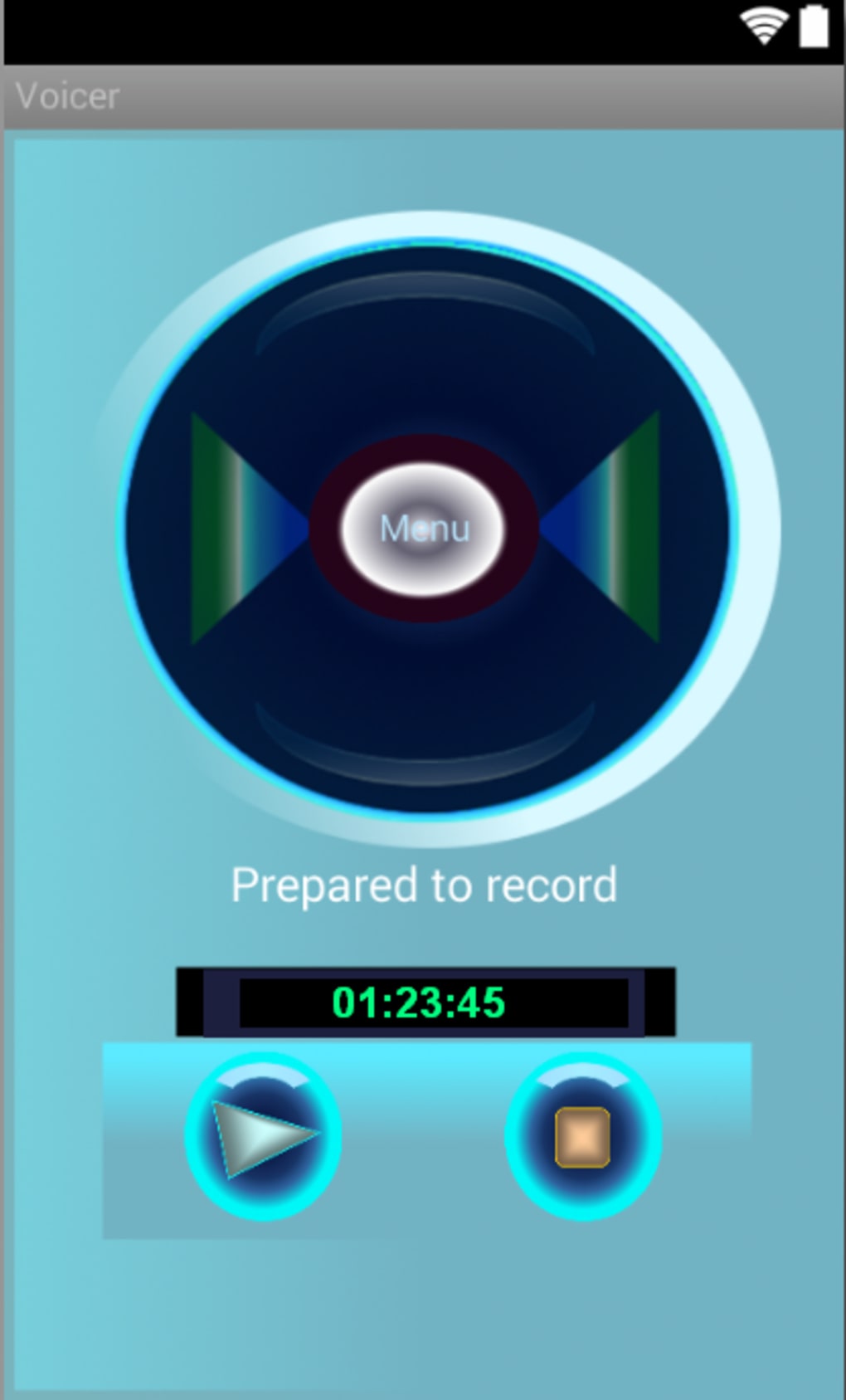
The user interface of Voicer - Voice Changer is described as simple and straightforward, with minimal navigation complexity. Users can access voice effects and recording controls through a clean, icon-based layout. The workflow is streamlined: launch the app, select a voice effect, and begin recording immediately.
This design prioritizes speed and accessibility, reducing the learning curve for new users. The developer did not specify resource usage details, but the app is noted for having minimal impact on device performance. Performance observations are based on general software behavior patterns, suggesting stable operation during typical usage.
The app does not report crashes or instability issues in available documentation. However, exact CPU or RAM behavior was not provided, and long-term usage under heavy load remains unverified. The app is designed to operate efficiently without draining battery or slowing down the device, which is critical for mobile applications.
Compatibility & System Requirements
Voicer - Voice Changer is designed for Android operating systems, specifically requiring Android 4.0 or later versions. The app is available for download on Android devices and is compatible with a broad range of smartphones and tablets. The installation size is reported as 10.3 MB, which indicates a compact footprint suitable for devices with limited storage.
The developer did not provide additional hardware requirements, such as processor speed or RAM specifications. Compatibility information was partially provided, with no mention of support for iOS or other platforms. The app supports both English and Spanish languages, enhancing accessibility for users in different regions.
The current version is 3, released on August 3, 2015, and the file size remains consistent across devices. The developer did not specify whether the app requires an internet connection for core functionality.
Pros and Cons
Pros
- Free to download and use with no in-app purchases
- Lightweight and efficient, with minimal impact on device performance
- Simple interface suitable for users of all skill levels
- Real-time voice modification for live recordings
- Supports multiple audio formats and integrates with other recording apps
Cons
- No recent updates since 2015, raising concerns about long-term compatibility
- Limited to Android platform; no support for iOS or desktop systems
- No information on advanced features or customization options
- Version 3 is outdated by modern standards, potentially lacking security updates
- Exact system requirements beyond Android 4.0 were not provided
FAQ Section
Is Voicer - Voice Changer available for iOS devices?
Currently, the app is only available for Android. There is no official version for iOS or other operating systems.
Does Voicer - Voice Changer require an internet connection?
The app does not require an internet connection to function. Core voice modification features operate offline.
Can I use Voicer - Voice Changer with other recording apps?
Yes, the app supports integration with various recording applications, allowing users to apply voice effects during recordings.
Is Voicer - Voice Changer safe to download and use?
As a free app from Lesop Software, it is available through official Android channels. However, users should ensure they download from trusted sources to avoid potential risks.
How often is Voicer - Voice Changer updated?
The last update was on August 3, 2015. No further updates have been released since then, which may affect compatibility with newer Android versions.
Final Thoughts + CTA
Voicer - Voice Changer remains a functional tool for Android users seeking real-time voice modification. Its lightweight design, simple interface, and free access make it a practical choice for casual users and content creators who need quick voice effects. While the app lacks modern updates and advanced features, its core functionality is still viable for basic use cases such as fun voice recordings or identity protection.
However, the absence of recent development raises concerns about long-term reliability and security. Users should consider the app’s outdated version and limited platform support when making a decision. For those on Android 4.0 or later who need a no-frills voice changer, Voicer - Voice Changer offers a straightforward solution.
Download Voicer - Voice Changer now and explore its simple yet effective voice modulation tools.






.png)
